Case study
Case study: a 1,000-row report, with and without repeating headers
One change to the table markup put column headings on every page of a 23-page report.
Long exports are hard to read on paper when the column headings disappear after page one. Is a value on page 14 the order total or the order number? We measured how much difference one piece of markup makes.
The document
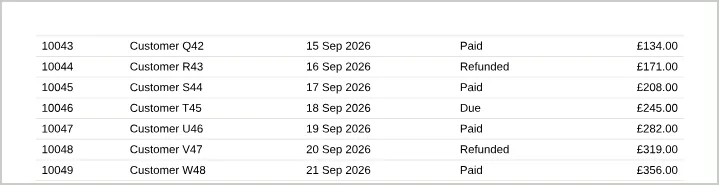
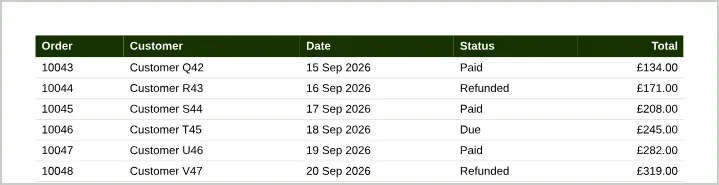
An orders report with 1,000 rows and five columns (Order, Customer, Date, Status, Total) at 9.5pt, with tr { break-inside: avoid; }. Two versions differed only in where the heading row lived:
<!-- Version A: heading as the first body row -->
<table><tbody>
  <tr><th>Order</th><th>Customer</th>…</tr>
  <tr><td>10001</td>…</tr>

<!-- Version B: heading in thead -->
<table>
  <thead><tr><th>Order</th><th>Customer</th>…</tr></thead>
  <tbody><tr><td>10001</td>…</tr>
Results
| Version | Pages | Pages showing headings | PDF size | Time |
|---|---|---|---|---|
| A: heading in tbody | 23 | 1 of 23 | 1.75 MB | 2.2 s |
| B: heading in thead | 23 | 23 of 23 | 1.76 MB | 2.5 s |
What we learned
- Moving the heading into
<thead>repeated it on every page at almost no cost: the same page count, under 1% larger and a fraction of a second slower. <thead>is also correct table semantics, which helps screen readers and the tagged structure of the PDF.- No row was split across pages in either version, thanks to
tr { break-inside: avoid; }. - At roughly 43 rows per page, 1,000 rows used 23 of the 100 pages allowed per PDF; plan to split exports beyond about 4,000 rows at this density.