Case study
Case study: the invoice whose total landed alone on page two
A real conversion where “Total due” was stranded on page two, and the CSS that kept the totals together.
Invoices are the documents where a bad page break matters most. A total that sits alone on page two, away from its subtotal, looks like an error and makes clients double-check the arithmetic. We built a typical invoice and converted it to find out how easily that happens.
The document
A one-company invoice: heading, “Bill to” line, a 27-row table of services, then a small totals table (Subtotal, VAT, Total due) and a payment note. The table header was written as the first row of <tbody>, the way many hand-written and generated invoices do it. No print-specific CSS.
Result before: totals split across pages
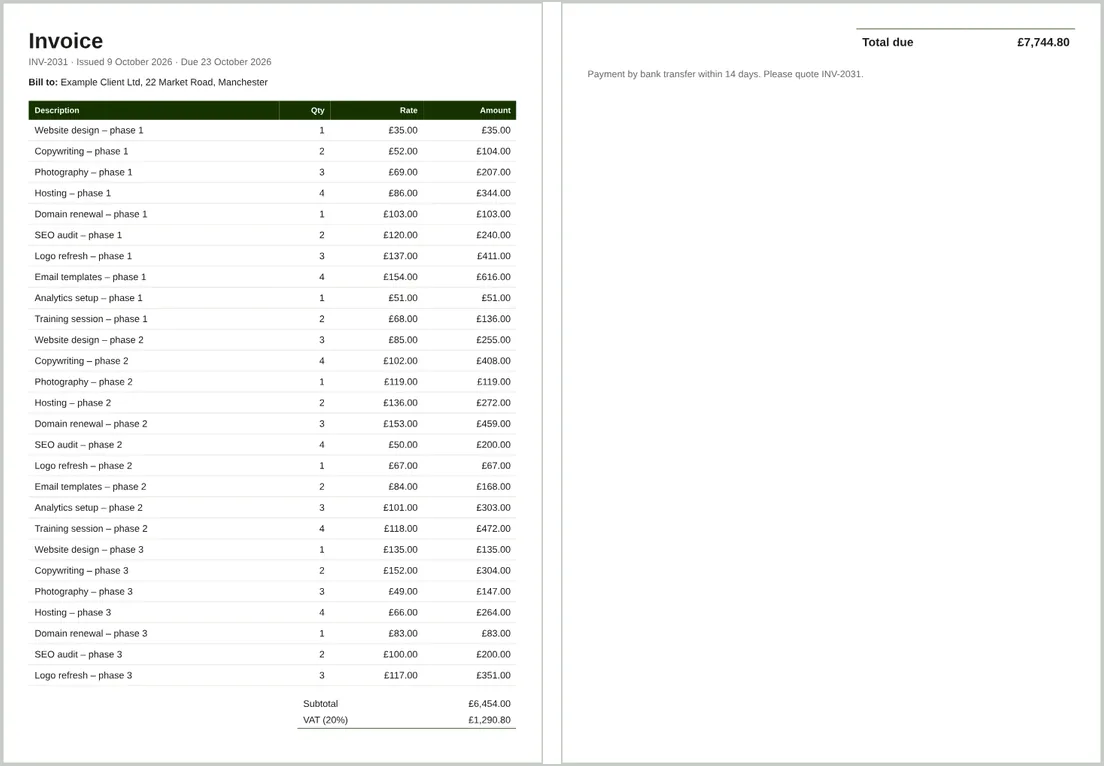
- The PDF had 2 pages.
- Page 1 contained all 27 line items, Subtotal (£6,454.00) and VAT (£1,290.80).
- Page 2 contained only Total due (£7,744.80) and the payment note.
Nothing was “wrong” with the HTML. The browser simply filled page one and broke wherever the space ran out, which happened to be between two rows of the totals table.
The fix
tr { break-inside: avoid; }
.summary { break-inside: avoid; }   /* wraps the totals table and payment note */
We also moved the header row into <thead> so it would repeat if the table ever ran onto a second page. Everything else stayed the same.
Result after: totals kept together
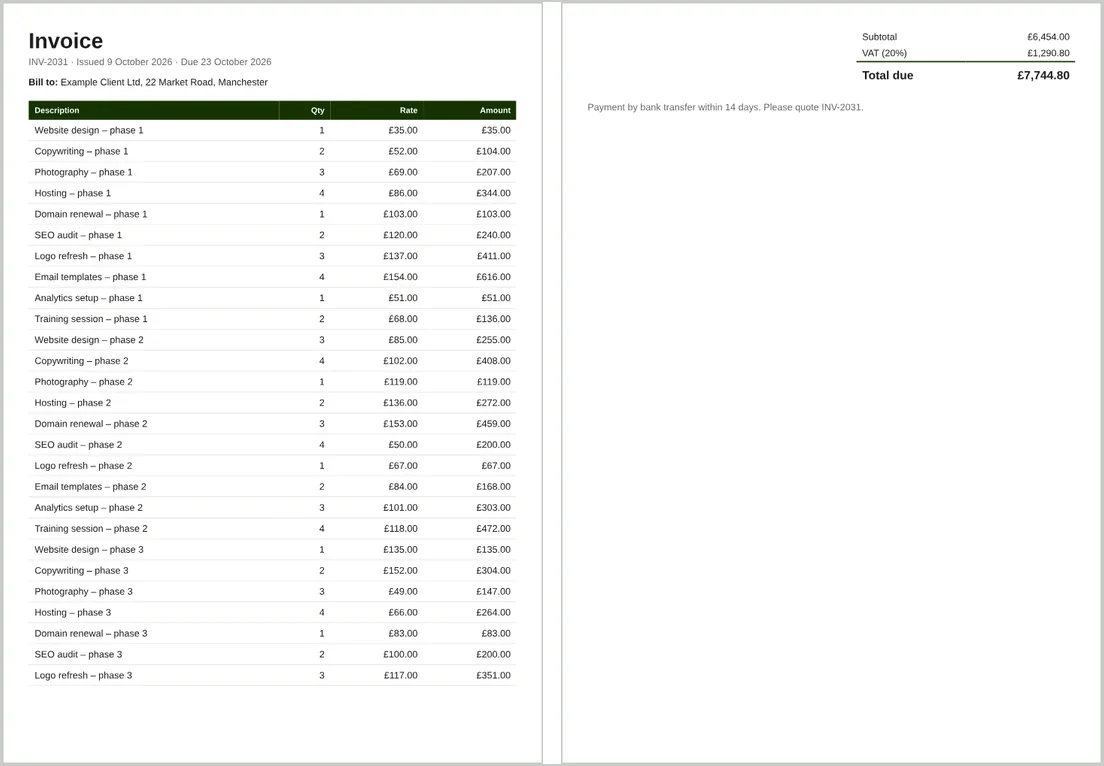
- Still 2 pages, but Subtotal, VAT and Total due all appear together on page 2, followed by the payment note.
- Page 1 ends cleanly after the last line item.
What we learned
- Splits like this depend on exact content length. While preparing the test in a desktop copy of Chromium, 25 lines fitted on one page and 26 pushed only the payment note over; at 27 the totals split. Testing with one sample invoice isn’t enough.
- Wrapping the summary in one element and applying
break-inside: avoidis the most reliable way to keep totals together. - If you’d rather keep the totals on page one, reduce row padding or font size so the whole invoice fits; CSS can’t pull content back onto a full page.