Background colours and images in HTML to PDF: what prints
Tested: which backgrounds print with the setting on and off, full-bleed page colour, and ink-saving CSS.
When you print a webpage from a browser, background colours usually vanish unless you tick “Background graphics”. The converter works differently, so here is exactly what it does, measured on real conversions.
What the Print backgrounds setting changes
| Background on | Setting on (default) | Setting off |
|---|---|---|
The page: html or body | Prints | Removed |
| Any other element: tables, cells, boxes, buttons | Prints | Prints |
An element with print-color-adjust: economy | Prints | Removed |
So turning the setting off is not an ink-saving mode by itself. It clears the page colour, and leaves the rest of your design alone. In practice that means backgrounds are very rarely “missing” from a PDF made here.
Page colour stops at the margins
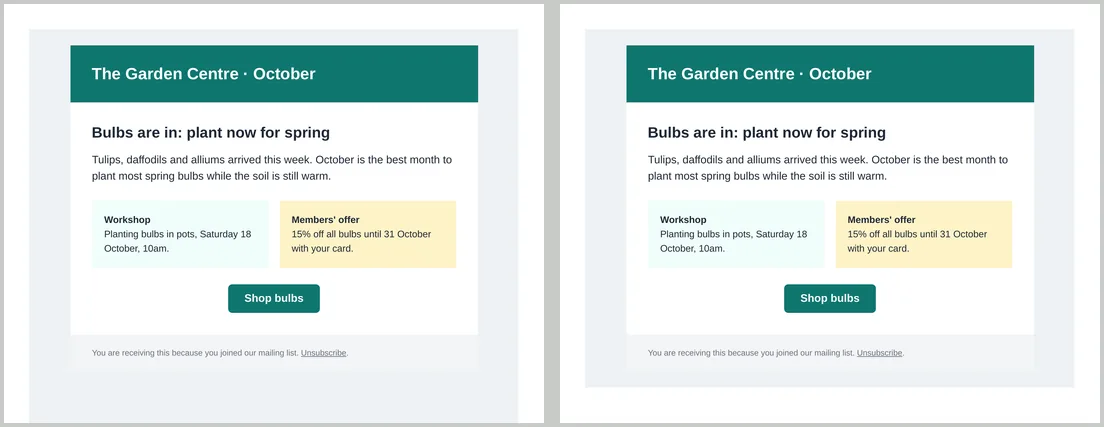
A background on body fills the printable area, not the margins. With the default 10 mm margins, our teal page had a white border; with margins set to 0 mm, the colour reached the edge of the paper. For full-bleed covers and certificates, set margins to 0 and add padding inside your design.
Make an ink-friendly version
Two ways, depending on whether you can edit the CSS:
- Print rules. Override colours inside
@media print. This works whatever the setting is:@media print { .hero, .card, th { background: none !important; color: #000 !important; } } - Mark optional backgrounds as economy, then turn Print backgrounds off when you want the low-ink copy. The same HTML gives both versions:
.hero, .card { print-color-adjust: economy; }
Background images
CSS background images print under the same rules as colours, and load like any other image: from a public URL or embedded as a data URL. If one doesn’t appear, check the address first; see fonts and images in HTML to PDF.
Printing the same HTML from a browser
Browsers apply their own rules when you print yourself, and usually drop backgrounds unless “Background graphics” is ticked. If people will also print your page from a browser, add print-color-adjust: exact to elements whose colour carries meaning, such as table headers and status badges.