Two-column layouts, justified text and hyphenation in HTML to PDF
CSS columns flow across pages cleanly; hyphenation works only with a lang attribute. Tested examples and copy-paste CSS.
Newsletters, academic papers and reports often use two columns and justified text. CSS can do both, and the converter handles them well, with one catch: automatic hyphenation only works when the page declares its language.
Columns that flow across pages
.article { columns: 2; column-gap: 8mm; column-rule: 1px solid #ccc; }
.article h1 { column-span: all; }   /* title across both columns */
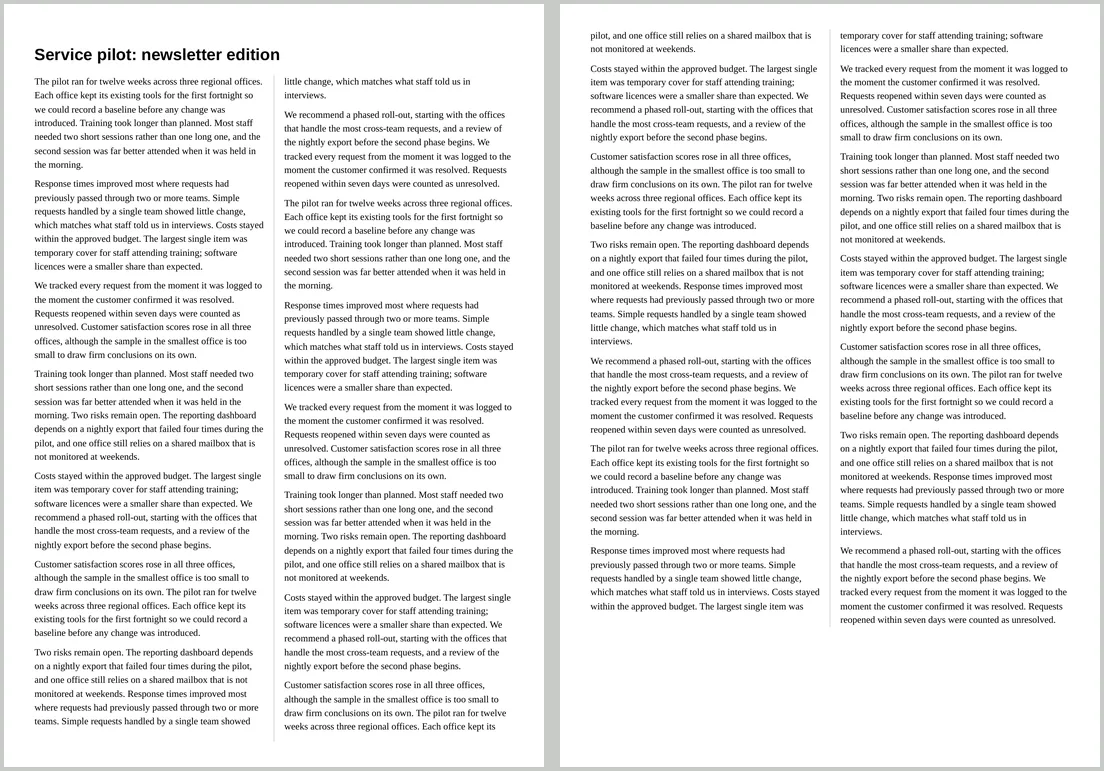
We converted a three-page article with these rules. Text filled the left column, then the right, then continued at the top of the next page. On the last page the two columns were balanced to the same height, and the title spanned both columns.
Justified text needs hyphenation
Justified text in narrow columns leaves wide gaps between words. Hyphenation fills them:
<html lang="en">
…
.article { text-align: justify; hyphens: auto; }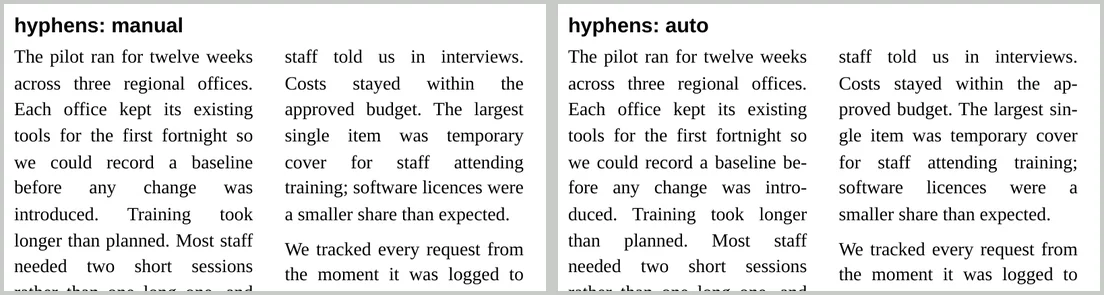
Hyphenation only works with lang
The converter hyphenates using a dictionary for the page’s language. In our test, the same narrow paragraph got 6 hyphens with lang="en", 15 with lang="de" (German has longer words), and none at all without a lang attribute. Set it on <html>, and on any passage in another language.
Tips for columns
- Keep figures in one column with
break-inside: avoid, or make them span both columns withcolumn-span: all. - Keep headings with their text with
break-after: avoid. - Mind the width. Two columns on A4 portrait are about 90 mm each, roughly 55 to 60 characters at 10pt. Three columns usually need landscape.
- Use columns for flowing text only. For dashboards and card layouts use grid or flexbox; see responsive layouts in PDF.